

Integrations
Integrations are connected per workspace, in Settings > Integrations, by an owner or an admin.
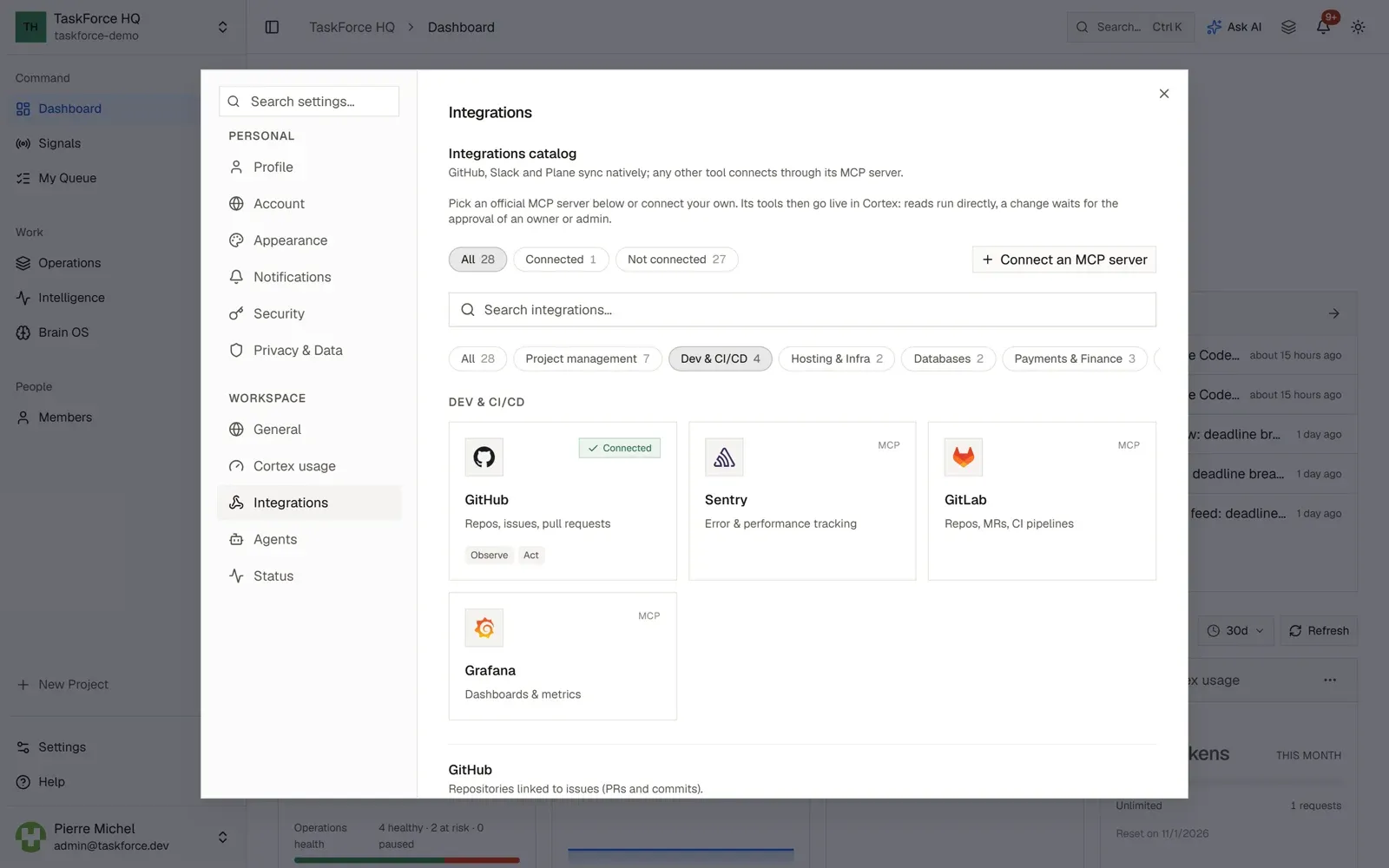
GitHub
- Pull requests and commits are linked to issues from the issue’s GitHub tab, and their status is kept up to date.
- Each project can be linked to one repository, or create one, in its “Code repository” section. Coding agents work in that repository.
- GitHub issues can be imported into the Brain OS.
TaskForce asks GitHub for the repo and read:org scopes. On a self-hosted instance, create a GitHub OAuth app with
<TF_API_URL>/api/integrations/github/callback as callback URL, then set GITHUB_CLIENT_ID and GITHUB_CLIENT_SECRET
in .env.
Slack
- Each connected channel receives the events you choose: issue created, updated or deleted, comment added, cycle completed.
- A channel’s history can be imported into the Brain OS.
On a self-hosted instance, create a Slack app with <TF_API_URL>/api/integrations/slack/callback as redirect URL and
these bot scopes: chat:write, chat:write.public, channels:read, channels:history, users:read,
incoming-webhook. Then set SLACK_CLIENT_ID and SLACK_CLIENT_SECRET in .env.
Plane
Connect your Plane workspace with a personal API key and its slug, then sync a Plane project: its work items become notes in the Brain OS.
MCP servers
Any tool with an MCP server can be connected: 25 official servers are listed (Linear, Jira, Notion, Sentry…), and any other one can be added by its address. A server connects with one-click OAuth when it supports it, or with a token. Cortex then uses its tools: reading runs directly, and a change waits for the approval of an owner or an admin.
On a self-hosted instance, MCP servers on your own network are refused unless you set
MCP_ALLOW_PRIVATE_NETWORK=true.
Webhooks
Outgoing webhooks send TaskForce events to n8n, Zapier, Make or your own endpoint, signed with HMAC-SHA256 and retried on failure. See Webhooks.