

Coding agents
Coding agents appear in an issue’s Assignee menu, next to the people. Choosing one delegates the issue: the agent works on it, the issue shows what it does, and the result comes back as a pull request. Nothing is merged without a person.
The menu only offers agents that are ready for the project. When one is missing, Settings > Agents says what it needs.
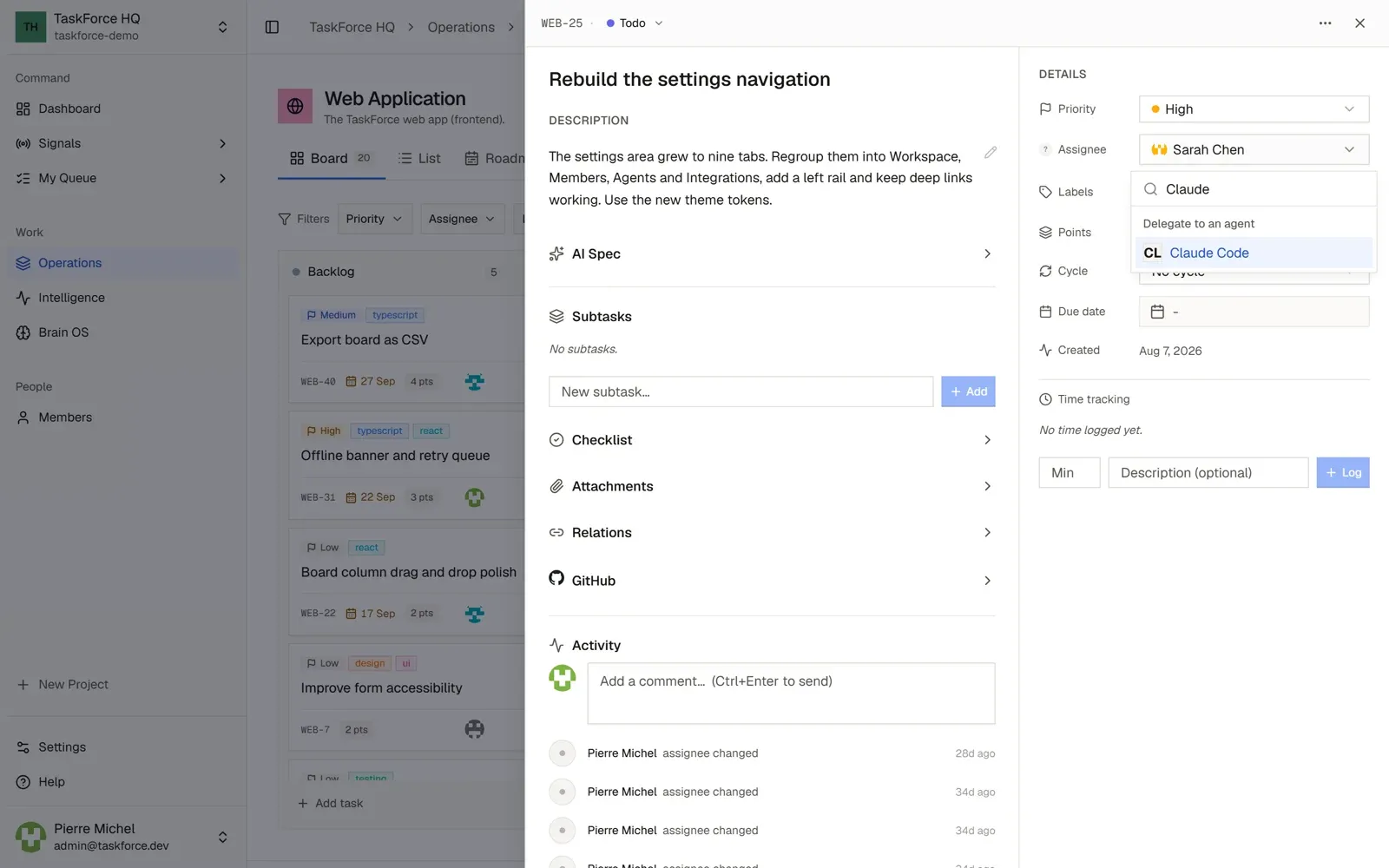
Claude Code, on your computer
Claude Code runs on the computer of the person who delegates, with their own Claude account, through the local runner. The TaskForce server cannot reach your machine: the runner asks the server for work, then starts Claude Code.
Set it up
You need Node 20 or later, git, the GitHub CLI gh signed in, and Claude Code 2.1.293 or later, signed in once
with claude.
-
In TaskForce, open Settings > Agents > Local runner and set up your runner. TaskForce shows, once, the
.envfile of your runner. The runner only picks up the issues you delegate. -
Get the runner, and save the
.envfile from the first step astaskforce-runner/.env: -
Check, then start:
There is no repository to declare: the runner clones the project’s repository with your gh, so with your rights,
the first time it needs it.
During a run
- Claude Code works in a separate worktree, on a new branch: your checkout and your current branch are never touched.
- The issue shows the run live: each tool call, each failure, each refusal.
- Reading and editing files and local git commands run without asking. Anything else, such as running tests, installing a package or using the network, waits for your Allow or Deny on the issue. Only the person who delegated can answer; without an answer within 10 minutes, the action is denied.
- When the agent is done, the runner pushes the branch and opens the pull request, then posts the summary on the issue.
- A project without a repository works too: Claude Code then delivers its work as a comment on the issue.
TaskForce notifies you when an agent asks for approval, finishes or fails (Settings > Notifications > Coding agents).
Stop or revoke it
Ctrl+C stops the runner after the current run. In Settings > Agents > Local runner, Regenerate secret replaces
the secret: a runner started with the old one stops working.
On a self-hosted instance, the local runner is on by default; an administrator turns it off with
DELIVERY_LOCAL_RUNNER_ENABLED=false.
GitHub Copilot coding agent (preview)
The Copilot coding agent works on GitHub, in the project’s repository, and opens a pull request. TaskForce starts the task and follows it until the pull request. It needs:
- GitHub connected to the workspace (Settings > Integrations);
- a GitHub repository linked to the project;
- a GitHub account with a Copilot plan that includes the coding agent, enabled for that repository.
Claude Code in your terminal
You can also work on your issues from your own Claude Code session: TaskForce is an MCP server that Claude Code connects to with a personal access token. See MCP server.